Postdoc in water electrolysis

I’ve recently started a new postdoc at Newcastle University, working in the research group of Dr Mohamed Mamlouk. I will be developing computational simulations and models to aid in the design of water electrolysers for a UK project (see the link below).

https://www.ncl.ac.uk/press/articles/archive/2021/07/oceanrefuel/

Hydrogen production from renewable sources is essential to reduce the impact of carbon emissions on the climate as well as reducing the dependancy on natural gas suppliers. This would require a scale up on renewable sources, with wind being the most abundant in the UK to fuel the conversion of sea water to hydrogen. This can be used directly as a heating source, an energy storage vector for transport applications (fuel cells) or combined with carbon dioxide to create hydrocarbons.

If you are interested in research into water electrolysis or fuel cells, please get in touch.

ParaView – Animated Filters

ParaView is an open-source visualisation software that can be used to view and analyse almost any data set. Often this is used to present scientific data in presentations or publications. Sometimes, you may want to create a visualisation that changes the camera and filter position in time.

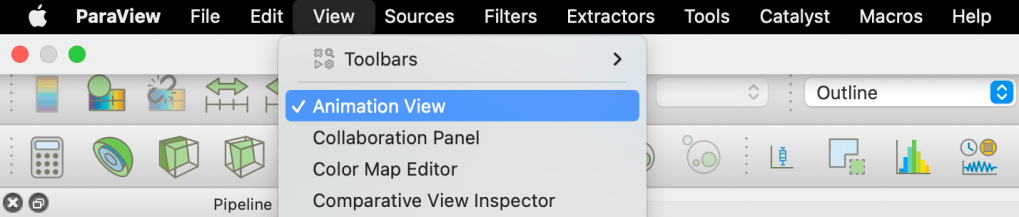
It is possible to do this using the animation view in ParaView and I will outline the steps below. First, go to View -> Animation view.

This opens up the possibility to time delay features of the objects and filters in the pipeline. An example of this revealing the presence of one phase in the 3D image:

In this example, we want to clip the red block in the x-direction by first applying a clip on the y-normal and setting the clip slice x-coordinate to 0.

At the animation view, the clip can then be selected and the clip type should be set to offset.

Next click the blue plus symbol to the left and it will add this feature to the animation view timeline. Double click the Clip1 below TimeKeeper1 which will reveal the option to change the limits of the offset amount:

In this instance, my domain had a maximum length of 70. This means that the clip will use a ramped interpolation from 0 to 70 through the structure over a time of 0 to 1 with 100 frames. You can choose the length of the animation in times and the frame rate (by the number of frames) as shown below:

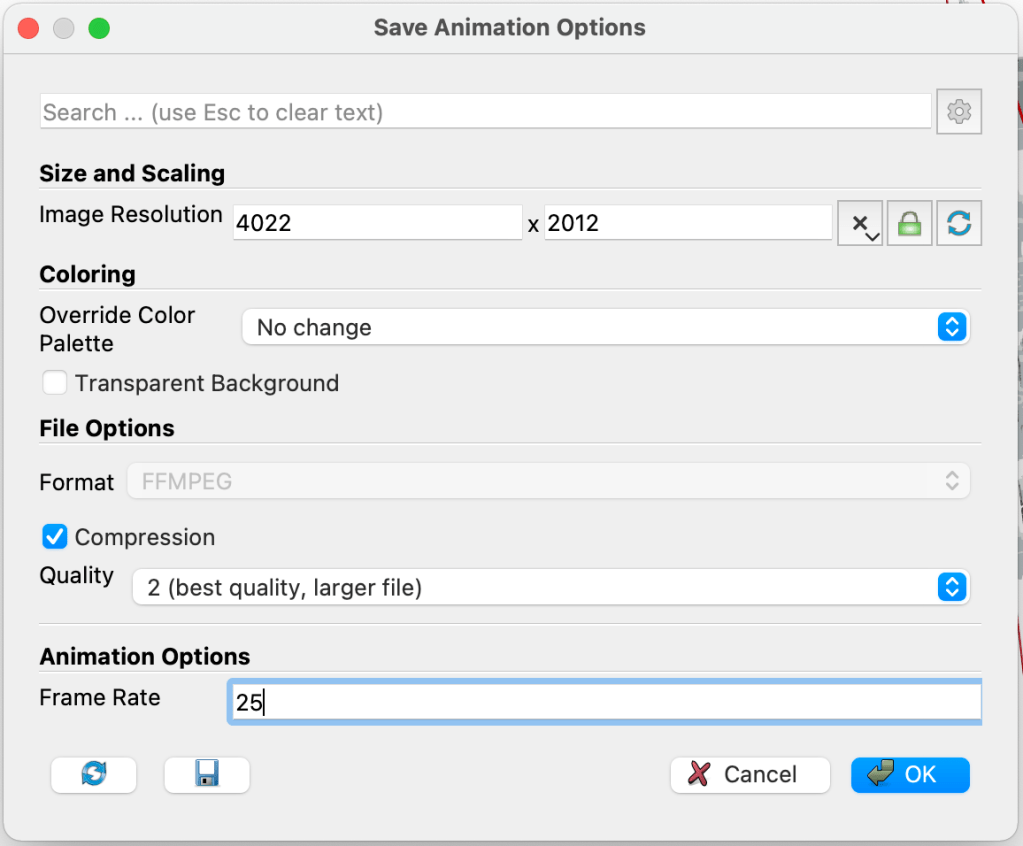
Run the animation to see that it has worked, then save the animation as .avi using: file -> save animation. For the animation options, I have 100 frames so setting a frame rate of 25 will produce a video that is 4 seconds long.

Wait for the animation to save and enjoy your new animation as shown at the top of this page. If you are interested in more content like this, please let me know.

Website Launch

Welcome to my website!

Currently, the structure is basic although overtime this will develop into a format that will allow presentation of my research into fuel cells, fluid mechanics, two-phase flow and the application porous materials.

If you are interested in any of the simulations, publications or visualisations please contact me for collaboration or consultation.

Paraview visualisation of water two-phase flow in a porous network, with scalar diffusion simulated in the water phase.